In beta testing · macOS
Every gimbal on set. One Mac.
RS-X connects to one or more DJI RS / Ronin-style gimbals over Bluetooth and lets you drive them with your keyboard, a gamepad, or vision tracking — no phone in your hand.
Coming soon!
Features
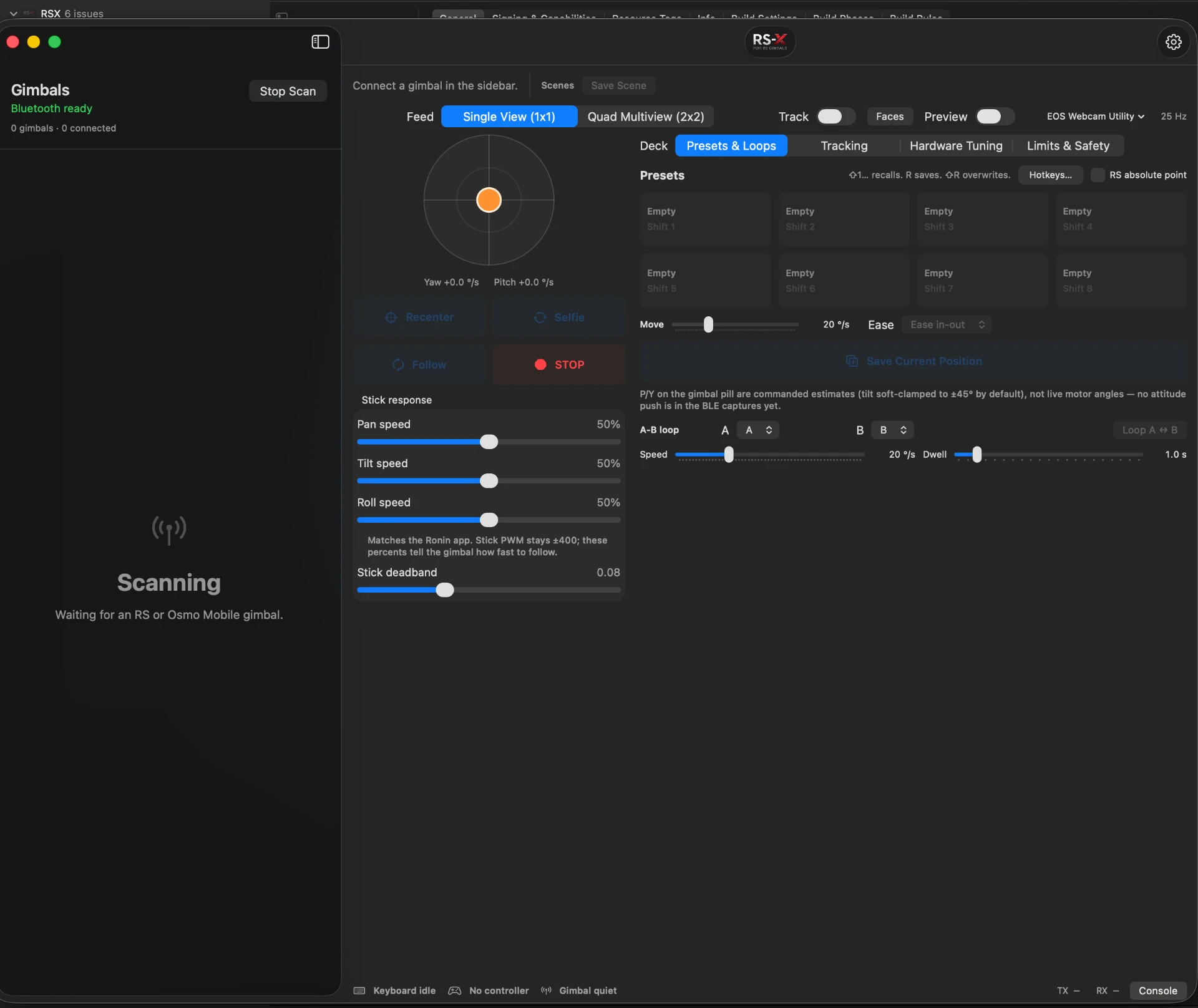
A full control deck for your RS gimbals.
01
Multi-gimbal BLE
Scan, connect and switch the active gimbal. Each one is fully isolated — its own sequence, writes and queues.
02
Manual control
Keyboard plus remappable USB / Bluetooth game controllers, including L2/R2 + D-pad chords for presets.
03
Presets & loops
Save poses, recall them with easing, run A↔B loops, and apply on-air damping for live shots.
04
Hardware tuning
Ronin profile, follow speed, deadband, push mode, motor stiffness and joystick axis speeds.
05
Limits & safety
Soft pan/tilt stops, plus stop and recenter actions always one keystroke away.
06
Vision tracking
Use a camera or AtomX CAST feed with face / subject tracking to steer your gimbals.
07
Settings your way
Custom hotkeys, a full controller map and a built-in debugging console.
08
Debug export
With Debugging on, capture full Bluetooth sessions to Markdown + JSONL for analysis.
Built for multicam and live production.
RS-X speaks the same Bluetooth protocol as the phone app, so your gimbals respond just like they would to the Ronin app — but from your Mac, side by side with your switcher, with broadcast-safe on-air speed limits.
Works with
- ▸ DJI RS / Ronin-style gimbals
- ▸ Osmo Mobile (where supported)
- ▸ USB & Bluetooth game controllers
- ▸ Webcams & AtomX CAST feeds